
Manuskript gives novel planning a method. What should daily writing feel like?
Manuskript helps a novel grow through open source, premise development, Outline, and Index Cards. As the work becomes a long-term writing practice, see how Scroll keeps planning, prose, tasks, versions, and the publishing handoff in one coherent desktop experience.
When a novel is still one sentence, an empty chapter is not always the kindest place to begin. The writer knows there is a disappearance, a betrayal, and a motive that cannot be spoken aloud. She does not yet know how they will become a book. At that point, a method that lets the idea unfold by degrees can be more helpful than a demand to write chapter one immediately.
In this article, Manuskript refers specifically to the open-source olivierkes/manuskript project, not the AI editor that currently shares its name. It is licensed under GPL-3.0-or-later, supports GNU/Linux, macOS, and Windows, and brings premise development, summaries, characters, plots, Outline, and Index Cards into a tool designed for writers. An author can begin with a central idea, expand it in stages, and rearrange chapters and scenes as cards.
That path gives an indistinct idea something solid to hold. It also gives people who value software freedom the ability to examine, modify, and retain control over the tool they use. Open text and import and export options make author ownership more than a slogan. For writers who enjoy an explicit method and want to understand the system beneath their work, that transparency and adaptability are creative freedoms in their own right.
Writing eventually enters another phase. Characters and plots already exist. The daily question is no longer “How do I grow an outline from one sentence?” but “How quickly can I return to where I stopped yesterday?” As research, prose, revision tasks, and versions accumulate, the author needs them to remain intelligibly connected. Months later, she also needs to identify the manuscript that will enter production.
The pressure has moved from the completeness of the planning method to the continuity of a long writing practice. When the work opens, is its hierarchy immediately legible? Does moving from a character to a timeline, from a paragraph to a task, and from revision to a version decision follow one recognizable order? The longer the Project lasts, the more valuable it becomes to recover context without first recovering the tool.
These are the working conditions Scroll is designed to support. A normal local Project provides the boundary for Story data, the manuscript, views, tasks, and versions. It does not require a novel to grow according to one formula. It aims to make the next useful place easier to find, from opening the Project to completing a revision pass.
A coherent experience is an order you do not have to relearn
“Modern” writing software is sometimes reduced to rounded corners, color, and animation. For a long-form writer, the more consequential details are quieter: whether information has a clear hierarchy, whether familiar entrances stay where expected, whether similar actions behave consistently across working surfaces, and whether the interface can expand for planning and recede for prose.
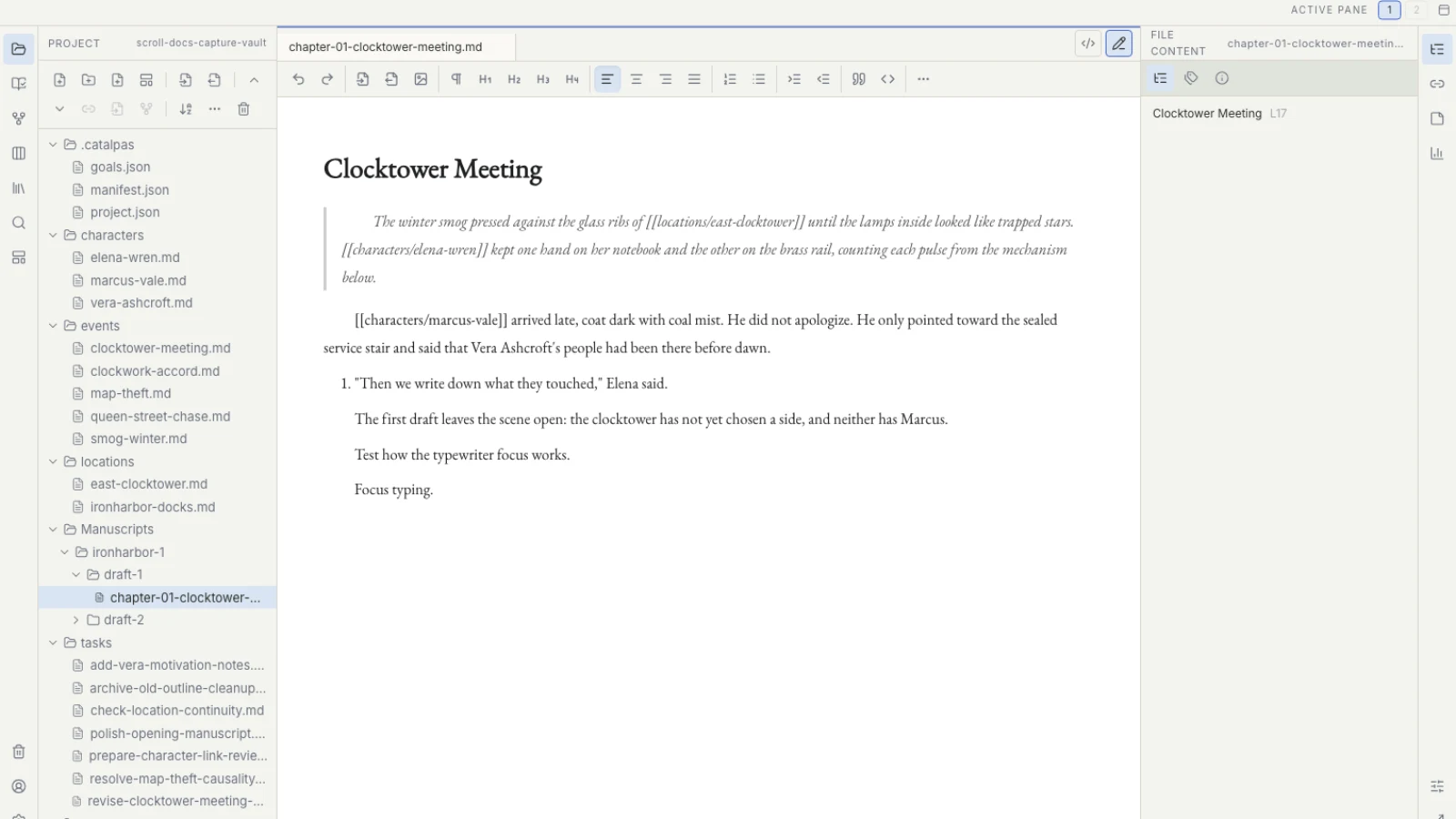
Scroll opens a work through its Project. Characters, locations, organizations, and events use language familiar to storytellers. The manuscript has a dedicated writing space. Story views unfold from the same records, while Tasks hold work that is not finished yet. The navigation and visual language remain consistent across those areas, so the habits learned in one Project can continue into the next.
That consistency earns its keep in small moments. In chapter three, the author notices that a suspect’s motive is thin. She records “Give the archivist a reason to conceal the ruling,” then finishes the scene rather than abandoning it. During revision, the item waits in the board or plan. A chronology question opens the Timeline. A question about a relationship explicitly recorded by the author opens the Relationship graph. The manuscript remains the place to check how much each chapter actually reveals.
Every move begins with a writing question rather than a memory test about the software. An interface cannot write a better novel for the author, but it can reduce the work required before writing begins. For someone with one hour a day, one less search and one less mode change leave more attention for sentence, character, and rhythm.
Planning can continue without becoming a formula
Some writers like to expand a premise in orderly layers. Some hear a character’s voice first. Others write thirty thousand words before they discover the real line of the book. Scroll provides built-in starting structures for characters, locations, organizations, and events, and it allows a Project to model information the work genuinely needs. A template is an invitation, not a requirement to complete every field, and no generic field can stand in for story quality.
Imagine a crime novel beginning with one motive: “An archivist fakes a disappearance to prevent an old judgment from becoming public.” The author can create the archivist, the investigative reporter, and the missing person, then record the forged document, disappearance, and investigation as events. While clues remain unstable, a canvas can hold possibilities. When order matters, a Timeline can expose the chronology. The author may record confirmed relationships. Who knows what and when still requires explicit fields, notes, and careful reading of the prose; the software does not solve the mystery on the writer’s behalf.
Planning therefore does not end when chapter one begins. Characters change, event order is overturned, and research supplies new evidence. Story data can evolve alongside the manuscript. Planning and drafting become two surfaces in an ongoing conversation rather than two unrelated phases.
That is also why multiple views do not imply that every book should use every view. A mystery may depend on time and relationships. Travel writing may need locations and a research canvas. A voice-led short story may need only a few cards. The writer chooses a lens because of the present question.
For a deeper distinction between useful structure and formula, continue with Templates Are Not Story Formulas.
When “what happens?” becomes “what do I do next?”
Even after the outline is stable, a book contains a great deal of invisible labor: add the earlier setup, confirm how quickly a medicine takes effect, standardize a form of address, rewrite the three exchanges before the ending. Those items do not occur in the story world, but the book cannot be finished without them.
Scroll keeps Story events and author Tasks distinct. The archivist burns a file on a rainy night: that is an event. Confirming which day of the week the rainy night falls on: that is a task. Tasks can move through List, Board, Calendar, and Schedule without turning a character card or a chapter title into a production tracker.
The distinction supports a more sustainable rhythm. A revision pass can have a limited work-in-progress boundary, instead of the impossible command “fix the entire book.” During a Black House session, the writer can stay with the current scene and entrust a newly discovered problem to Tasks. The Project remembers; the writer keeps the writing interval intact.
Versions need the same clarity. When a book enters editing, proofing, and production, “Which manuscript are we using?” deserves a better answer than final-final-3. Work and manuscript version records keep that decision inside the Project, while preserving a clear source for future revision.
A writing experience should carry the work past “written”
An independent author may choose a tool because of today’s outline or chapter. Some of the costliest friction arrives later: where the chapters come from, which manuscript is stable, and which content the book-production tool should read. If those decisions are postponed until the last day, the order established during writing breaks at the point it matters most.
Scroll is responsible for changing ideas, planning, manuscript text, author Tasks, and versions. Once the manuscript is stable, Scribe takes responsibility for Appearance, pagination, and publication output. The benefit comes from professional division of labor: the author does not need to typeset while drafting, and the book-production stage starts with a more intelligible work boundary.
Scroll does not produce a finished PDF, EPUB, or print layout. A manuscript marked ready is not proof that Scribe has received or interpreted it correctly. The author still selects the intended scope and verifies recognized works, versions, chapters, and pages in Scribe. The public Writing Suite presents this optional route from long-form creation to book production; it is not a prerequisite for beginning a draft.
Leave attention with the book
For writers who prefer an integrated, ready-to-use environment, a novel-writing app should make the author’s working surfaces clear as soon as the Project opens. Time can return to the work before it is spent assembling the workbench.
That is the daily practice Scroll serves: a local Project maintains the work boundary, built-in Story structures hold familiar planning questions, multiple views help inspect complexity, Tasks and versions keep a long project moving, and a stable manuscript has an explicit downstream path to Scribe. The writer still decides how to imagine, draft, and revise. The product’s role is to make each next action easier to locate.
The Scroll comparison guide collects the other questions that can emerge from a familiar tool. If your next long work will accompany you for months or years, visit the Scroll product page to see how one desktop Project organizes characters, events, manuscript text, Tasks, and versions—and whether opening the book can return your attention to the story a little sooner.