
What part of your next book is your writing tool already solving?
Already at home in Scrivener, Manuskript, Ulysses, Obsidian, Notion, or a specialist planning app? Start with the workflow you know and identify what your next book still needs from story planning, long-form writing, local Projects, and the path to publication.
Writers rarely choose a tool at an empty desk. You may have finished three books inside a Binder and learned to reshape chapters on a Corkboard. Your writing life may live in a quiet Library. Ten years of research may have grown into a network of Markdown notes, while cast lists, progress, and collaborator comments sit in a shared workspace.
Those tools remain in a writer’s life because they solve important problems. Familiar shortcuts, naming systems, and research locations have become part of the writer’s craft.
The next problem usually arrives with the next book. The chapters are ordered, but chronology and relationships are hard to check across them. The prose continues, while research, revision tasks, and versions begin to scatter. Each fictional world needs a separate boundary but the same dependable author workflow. An outline can be shared with a team, yet the full manuscript still needs a stable center.
The six routes below begin with tools writers already value. Each tool provides a real benefit first. The new pressure created by a growing work then opens a different question about planning, writing, or publication.
The Binder holds the whole book. What other angles does the story need?
Scrivener provides a mature long-form environment through Binder, Corkboard, Outliner, Research, and Scrivenings. When a writer needs to check time, relationships, locations, and research across chapter boundaries, the question expands from organizing a manuscript to seeing Story facts. Explore the multi-view question for Scrivener writers.
The planning method works. Can daily writing feel more continuous?
Here, Manuskript means the open-source olivierkes/manuskript project. Premise development, Outline, and Index Cards help a novel take shape, while the GPL matters to writers who value software freedom. As the work moves into daily drafting, revision, and version decisions, interface hierarchy and continuity begin to shape attention. Read about the path from open planning to a coherent writing experience.
Beyond the quiet writing room, how does a large Project stay whole?
Ulysses protects a valuable kind of calm through Library, Sheets, and continuity across Apple devices. When characters, locations, research, tasks, and publication versions gather around the manuscript—or the writer’s desktop mix includes Windows or Linux—the work needs both quiet input and a durable context for the whole book. Explore quiet writing inside a large Project.
Each world is separate. Can the writer’s workflow remain familiar?
Obsidian lets local Markdown, Links, Graph, Canvas, and a flexible ecosystem grow into a long-lived knowledge network. When a novelist maintains a separate vault for each world, a new question appears: how can those independent spaces share the same dependable author workflow? Read about a consistent Project workflow across multiple vaults.
Once everyone can see the outline, where does the full manuscript grow?
Notion uses databases, varied views, comments, and permissions to give a team one visible creative map. When the outline settles and a lead writer begins the sustained work of producing a book-length manuscript, the next questions concern focused writing, local source files, author-specific planning, and the version that will enter book production. Read about the division between a shared outline and the formal manuscript.
Some problems deserve a specialist tool
Aeon Timeline goes deep on temporal consistency. OmniOutliner gives hierarchical thinking room to expand. Fantasia Archive offers an offline home for worldbuilding records. Their distinct depth should not be flattened into one scorecard. See how timeline, outlining, worldbuilding, and integrated writing tools can divide the work.
Bring the questions back to one work
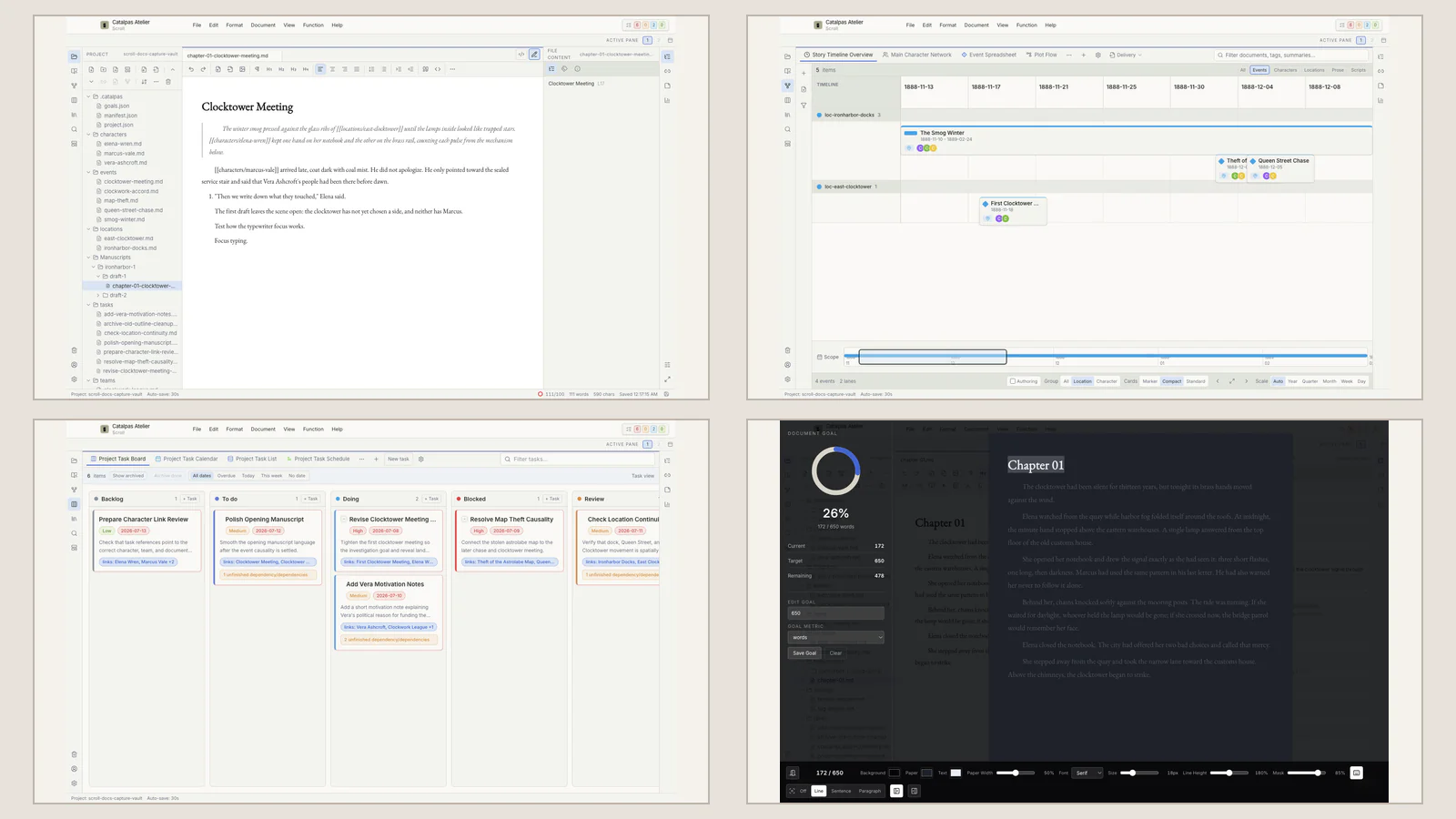
Scroll is built around these pressures in complex long-form work. A normal local Project can hold Story planning, manuscript writing, research, author tasks, work and manuscript versions, and preparation for the next production stage. The different entrances lead to one practical goal: identify the support this work is missing, then keep planning, writing, and making the book connected.
Ask what the work is asking now
Three questions help. Where is the authoritative manuscript? Does this work repeatedly create problems of chronology, relationships, and production tasks, or is the need almost entirely prose? Is the manuscript still being discovered and revised, or has it become stable enough to need pagination, page design, and publication files?
If the block remains in ideation, planning, or focused writing, continue with the Scroll Long-Form Writing Guide. If the problem has moved to pages and finished formats, the Scribe comparison guide is the more useful route. Scroll does not produce a finished PDF, EPUB, or print layout; it gives the writing stage a clear manuscript, context, and preparation boundary.
You can also visit the Scroll product page to see local Projects, multi-view Story planning, and long-form editing. Product names may provide the search entrance. The answer worth keeping is which part of the workflow your next book actually needs.