
Ulysses protects a quiet writing space. How does a large Project open out?
Ulysses uses Library, Sheets, and continuity across Apple devices to protect focused writing. When characters, research, revision, and versions turn a book into a large Project, see how Scroll keeps planning, prose, and publishing preparation together.
Some writing apps reveal their value in a feature list. Others reveal it late at night. The interface does not ask the writer to reorganize a system before she begins. Yesterday’s unfinished sentence is still waiting. Fragments, essays, and long works keep a familiar rhythm. She only has to continue.
Ulysses has long made that quiet into a coherent experience. Library, Sheet List, and Editor keep the body of work, current material, and present text connected. Projects, Groups, and Filters provide boundaries and selection; Sheets can be split, merged, and rearranged. A line captured on iPhone can become a scene on iPad and continue through revision on Mac without making the writer rebuild her writing life for each device.
The restraint is more than hiding controls. File management steps behind the words so capture and writing can be the first action. For essayists, journalists, bloggers, and novelists whose work moves mainly through voice and linear chapters, returning to the sentence can be more valuable than adding another structure. External Folders also give Mac users a route to material in external file locations; the work is not confined to one form of storage.
The change usually comes from the book itself.
At thirty thousand words, a few Groups and continuous Sheets may hold everything the writer needs. At one hundred and twenty thousand, the cast crosses several cities, research grows into a body of its own, the second revision pass becomes forty tasks, and the manuscript intended for production must be distinguished from ongoing changes. The writer still wants quiet, but outside the writing room lie timelines, maps, relationships, and version decisions.
The new question is not “How can I focus harder?” It is “How can a complex work remain whole beyond the focused interval?” What happened when? Which chapters involve this location? Which three revisions matter this week? Which manuscript will enter layout in a few months? If the writer’s actual desktop mix includes Windows or Linux, the working environment also has to exist on those machines.
These are the surfaces Scroll opens for a large long-form Project. Each work has its own local Project. Manuscript text, Story data, research, Tasks, works, and manuscript versions remain in the same context. When it is time to write, the editor can become quiet. When it is time to judge the whole, the workbench can unfold.
Quiet writing works best when planning has not vanished
A focused interface is most useful when the writer trusts what remains outside it. If a question about a character will disappear unless it is solved immediately, the supposedly quiet writing session is still crowded. If the Project can remember the question, the writer can stay with the paragraph.
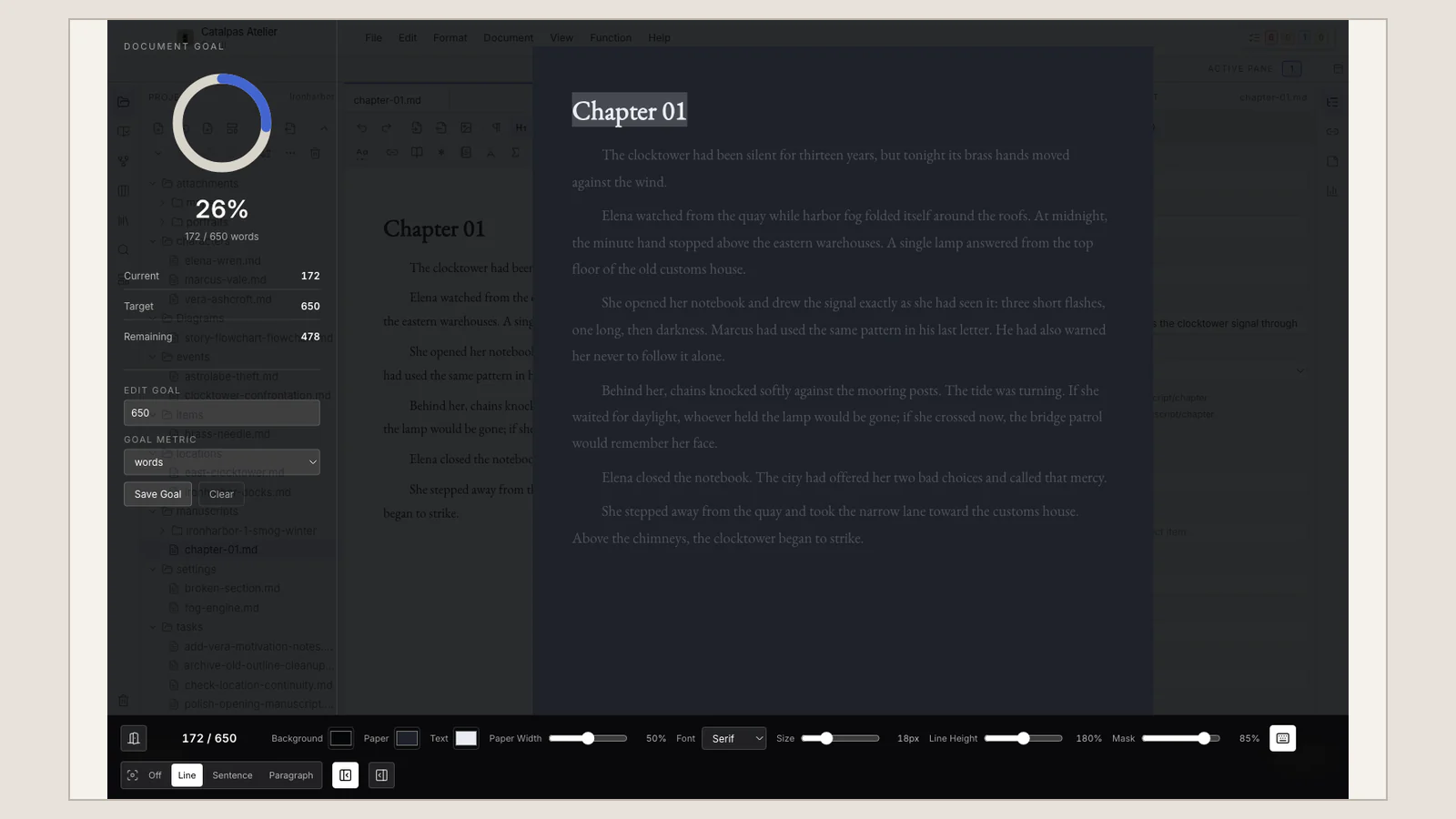
Scroll’s Black House supports writing goals, line focus, typewriter mode, and editor appearance. Those controls protect a defined interval rather than pretending the rest of the Project does not exist. A research doubt can become a Task. A chronology concern can wait for Timeline. A relationship question can remain attached to the current work until the scene is complete.
The editor itself provides Visual Mode for reading and writing close to the rendered result, and Source view when the author needs direct control over the same Markdown content. The two modes do not create two manuscripts. A writer can choose the surface that protects the current thought, then inspect the underlying text when precision matters.
Quiet becomes a form of confidence: the characters, research, and unfinished work have not gone away, so this hour can belong to prose. Continue with A Sustainable Distraction-Free Writing Room and Visual Mode or Source View? for a closer look.
A large Project needs more than a longer list
Projects can be large in many writing environments. The planning question is not whether a tool can hold many words. It is whether the writer can view the growing work in the dimensions that create risk.
Scroll gives characters, locations, organizations, and events author-specific records. The same Story data can be inspected through Spreadsheet, Gallery, Calendar, Timeline, Gantt, Subway, Relationship graph, Map, Mindmap, Whiteboard, and Flowchart. Tasks have their own Board, Calendar, List, and Schedule. The manuscript remains prose rather than becoming another planning table.
Imagine a multi-generational novel set in three cities. The writer needs to check an age against a date, see when two character lines intersect, collect source material near a location, and record a revision without interrupting the present chapter. Different views answer those questions, while one local Project preserves their context.
No view is required simply because it exists. A linear novel may need only characters, a few Tasks, and the editor. A mystery may live in Timeline and Relationship graph during revision. A travel narrative may rely on locations and research. The Project becomes larger by giving the author more relevant ways to work, not by demanding that every book fill every field.
The writer’s actual desktops are part of the workflow
Apple-device continuity is a meaningful advantage for writers whose working life is already centered on Mac, iPad, and iPhone. Other writers draft on one operating system and revise on another, use a Windows desktop at work, or maintain a Linux workstation for research. Platform choice then becomes part of whether a daily practice is sustainable.
Scroll is designed as a desktop long-form workspace, and its download page is the current source for the macOS, Windows, and Linux packages offered at any given time. Because build availability can change, the download page—not an evergreen comparison article—should decide what is ready for a particular machine.
The Project itself remains local and readable. Manuscript files use Markdown, and a complete Project can participate in the writer’s chosen system backup, external drive, versioning, or suitable cloud-backed folder. Local-first does not make a work automatically safe; it gives the author direct responsibility for where the working Project and its copies live.
A finished draft needs a named version and a production stage
As the manuscript stabilizes, an independent author must identify which version is entering editing, proofreading, and layout. “The latest Sheet” may describe a writing state. Book production needs a deliberate source: intended chapters, order, and manuscript version.
Scroll keeps works and manuscript versions in the Project with the writing context that produced them. Once a source is stable, Scribe takes over Appearance, pagination, and publication output. Scroll does not create the finished PDF, EPUB, or print layout. A ready state is not confirmation that Scribe has recognized the work. The author still reviews works, versions, chapters, and pages in Scribe.
This division lets the writing environment remain quiet while it is time to write, and lets page-making become precise when it is time to make the book. See the Scroll to Scribe workflow for the boundary. If your search is specifically about focused writing followed by book production, Ulysses and Scribe continues from that downstream intent.
Keep the room quiet and the work complete
Some books remain collections of text for a long time. Others grow into Projects with people, places, evidence, revision plans, and publication versions. In the second case, the writer is protecting not only the instant of typing but the book’s context across many months.
Scroll allows both needs to coexist. During writing, the interface can recede to the current sentence. Outside the chapter, the Project can open into Story data, research, Tasks, and versions. Planning does not disappear when drafting begins, and drafting does not turn into form-filling because planning exists.
The Scroll comparison guide offers more routes through planning, writing, and Project boundaries. If your next book has grown from a body of text into a large creative undertaking, visit the Scroll product page and the current download page to see whether it needs a workbench beyond the quiet room.