
After the story is written, how does it become a book?
For self-publishing authors: understand the professional division between planning and writing in Scroll and page and publication work in Scribe.
The most compelling part of self-publishing is that a book can travel from an idea in one person’s mind to a reader’s hands. The hardest part is the same: at some point, that person has to stop being only the author and also become an editor, project manager, and publisher.
If margin decisions intrude while you are still discovering a character, future pages interrupt the story. If the official manuscript must be recovered from old drafts at the very end, the production half suddenly becomes heavier than it needs to be.
Scroll and Scribe give those two states of mind different working environments. Scroll supports planning, writing, revision, versions, and delivery preparation. Scribe takes on Appearance, pagination, and publication output after the author verifies what it recognizes. The applications can continue around the same local Project folder, with a visible handoff rather than a promise of automatic publication.
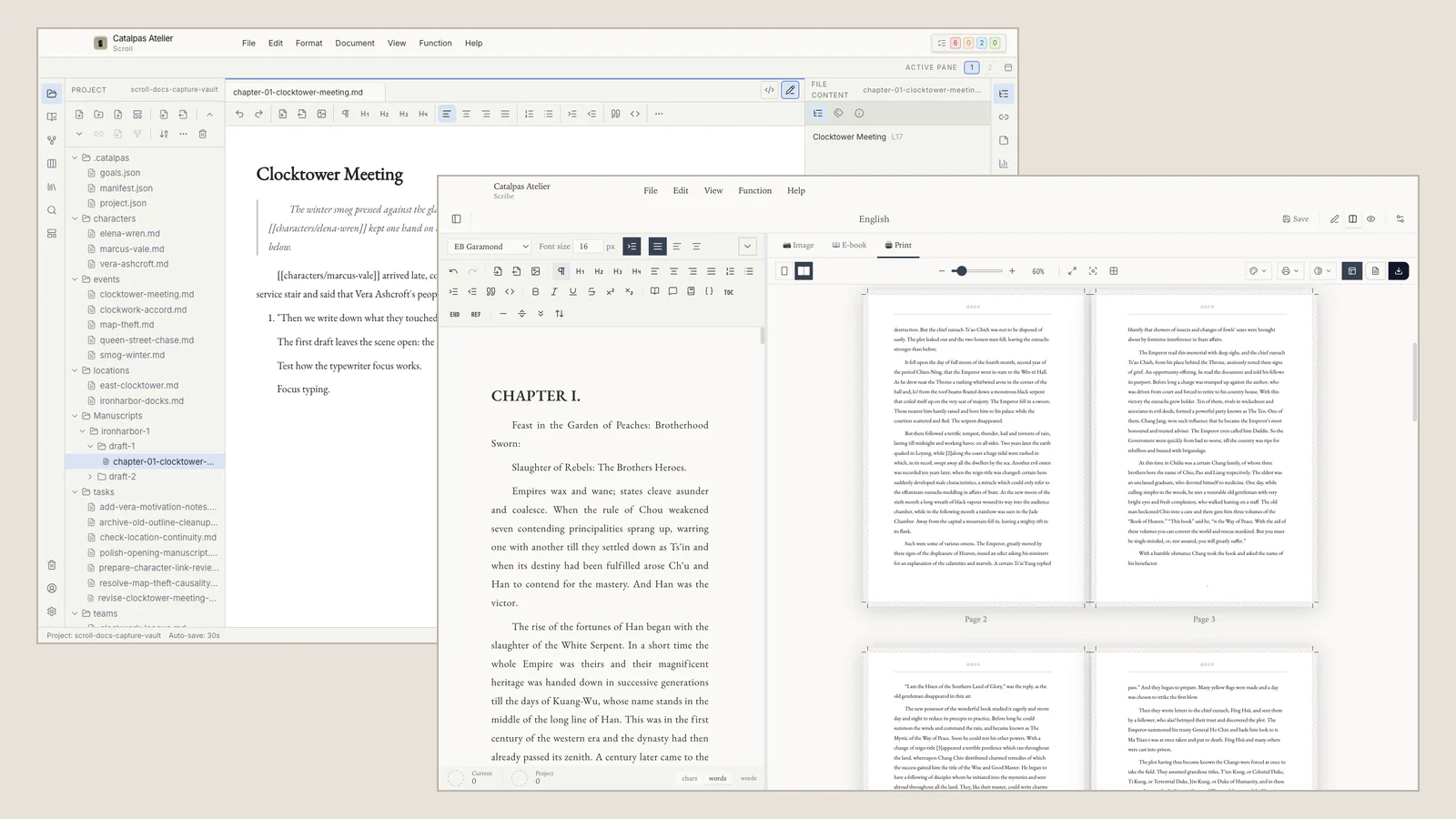
While writing, the work does not need to look like a book
Stories change direction. Characters overturn an outline. A quiet subplot becomes the center of the novel. Scroll keeps manuscript files, Story data, Timeline, relationships, research, and writing tasks in one Project so the author can inspect the work from different angles without making a separate copy for every view.
For a self-publishing author, that creative context functions like a small editorial room. It helps the long work remain understandable while it changes. It also protects writing time from premature production decisions. Chapter-opening ornaments and print margins can wait until the chapter itself is stable.
When the manuscript matures, the question changes
The transition begins when the author can identify the work, manuscript version, book scope, and Publish Version intended for this edition. In Scroll, Delivery Center, Delivery readiness, and Resolved source help prepare and inspect that decision.
These are Scroll responsibilities. A ready state does not prove that Scribe has received or recognized the source. In Scribe, the author separately confirms the recognized work and Publish Version, source folder, chapter count and order, and manuscript version.
After that check, the useful questions become reader-facing. How should the chapters open? Does the page rhythm support the prose? Is the table of contents coherent? Scribe handles Appearance, pagination, and the supported publication output available for the edition.
The division avoids asking Scroll to become a desktop-publishing system and avoids asking Scribe to carry the full story-planning Project. Each tool does less outside its specialty so the author can travel farther with clearer attention.
The real saving is at the seam
A conventional multi-tool path often produces a family of copies: export manuscript, layout manuscript, corrected layout manuscript, final layout manuscript two. If a typo appears after export, the author must decide whether to correct the writing source, the production copy, or both.
The Scroll-to-Scribe path reduces the need for a transport-only manuscript. Scroll records and resolves the intended source in the local Project; Scribe reads the Project, and the author checks what it recognized before designing pages.
Nothing in that process uploads the prose merely because delivery preparation began. Nor does it remove backup responsibility. Back up the whole Project, and manage conflicts deliberately if you place it in a user-chosen sync folder.
This is still not automatic publishing. Scroll does not directly create PDF, EPUB, or print layout. Scribe does not decide that the manuscript is editorially finished. The advantage is quieter and more useful: less unnecessary copying, fewer sources claiming authority, and less need to explain the entire book again at the production boundary.
One workflow, three reasonable starting points
An author still exploring the story or making large structural changes may begin and remain in Scroll. A writer who already has a stable manuscript and mainly needs book design and publication output may begin with Scribe.
The complete path is for authors who want long-form planning and drafting to continue into their own book production. The Writing Suite offers the two applications together for that need; it is not a prerequisite for beginning a story.
To follow one novel through the boundary, read From the final chapter to the first page. When the uncertainty is whether page work should begin at all, use Five signs your manuscript is ready for Scribe. Exact current handoff operations are documented in the Scroll and Scribe integration guide.
The value of the division is not that a book changes tools. It is that the author can ask one kind of question at a time: first what the work needs to become, then how the reader should encounter it.