
Five signs your manuscript is ready for Scribe
Before book production begins, check manuscript authority, book scope, recovery, Scroll delivery preparation, and Scribe's recognition of the intended source.
Seeing your own chapter in a page preview for the first time is one of self-publishing’s most exciting moments. The heading has a place. The paragraphs begin to breathe. Page numbers give a hundred thousand words a shape you can imagine holding.
That is precisely why the moment can arrive too early.
Fonts, margins, and a table of contents create a powerful feeling of completion even while the last chapter is being rewritten, the foreword lives in another folder, and yesterday’s editorial changes have not been merged. Once an author falls in love with the appearance of a finished book, admitting that part of the structure still needs to come down becomes harder. Every large revision then pulls earlier layout work with it.
A manuscript being ready for Scribe does not mean it can never change again. It means the author can pause the question “What is this work still becoming?” and begin the question “How will a reader meet this book?” Between Scroll and Scribe, five signs help make that change of attention deliberate.
1. You can point to the manuscript for this edition
A real final manuscript is not a filename with one more final attached. It is an authorial decision. You know why the editor-reviewed version remains, and why the author-revised version is the source for this edition. Cut chapters and experimental endings may still exist, but they will not impersonate the current book.
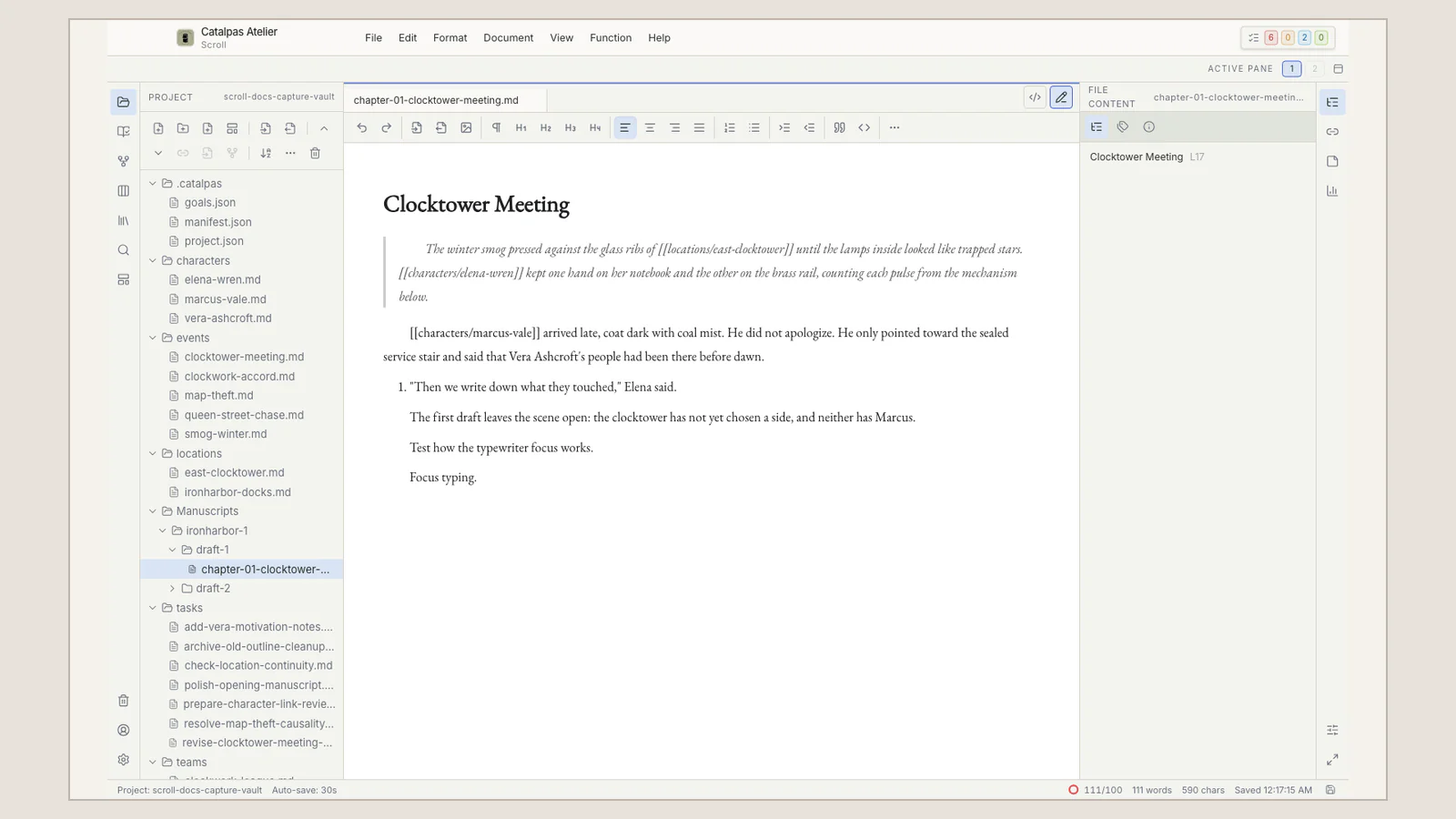
Scroll’s Works, Manuscript versions, and Publish Version keep that choice in the Project’s own context. They do not decide which draft is better, freeze the prose, or create Git-like snapshots. They make the publication decision visible.
If you still need to compare three files paragraph by paragraph to guess which one is current, pagination can wait. The first sign appears when you can say, without hesitation, “This is the source for this edition.”
2. You know where the book begins and ends
The “whole book” in an author’s mind is often richer than the manuscript folder. Does the foreword belong to this edition? Is there an afterword after the epilogue? Who is preparing the acknowledgements, appendix, reading guide, or copyright material?
These decisions do not all need to exist at the beginning of a draft. Before book production, however, they need a clear place. Another reader should be able to follow the intended sequence without listening to the author explain it live.
For a series, distinguish material for this volume from material for the larger world. For nonfiction, decide whether references are part of the book or remain research material. Scroll can keep a rich creative studio around the manuscript; delivery preparation means identifying the book within that studio, not emptying the studio.
3. You can return safely to this creative moment
Page work introduces new decisions and exposes new problems. A paragraph that felt balanced in the editor may feel long on a page. Proofreading may reveal an omitted word. Moving forward does not require confidence that nothing will change. It requires a safe route back.
Save the current work, then back up the complete Scroll Project folder to an independent, recoverable location. The manuscript and its creative context may extend beyond the chapter files currently open. If you use a sync drive, save first, understand how conflicts are represented, and retain both copies until you have resolved them. Scroll, Scribe, and the Writing Suite do not act as automatic Project-sync services.
Local-first work does not eliminate loss. A recognizable whole-Project backup turns the transition into a bookmark rather than an irreversible bet on the only copy.
4. Scroll’s delivery preparation matches the book in your mind
Authors naturally fill gaps from memory. You know that an afterword is “somewhere in the Project” or that two chapters “were reordered later.” Software can work only with the material and choices that actually exist.
In Scroll, inspect the intended work through the Delivery Center. Check Delivery readiness and the Resolved source against your publication intent. The most important question is not whether every control has been touched; it is whether the selected work, expected content, current manuscript version, and chapter scope tell the same story about what will be delivered.
This status belongs to Scroll. Delivery readiness does not mean Scribe has received or recognized the manuscript. If a difference remains difficult to explain, resolve it before spending hours on page design. The public integration guide carries the current operational steps.
5. Scribe recognizes the intended work
When Scribe opens the same local Project folder, perform a distinct receiving check. Confirm the recognized work and Publish Version, the source folder, the chapter count and order, and the manuscript version.
Only after those details agree should attention move toward the reader: chapter openings, page rhythm, hierarchy, Scribe Appearance, pagination, and supported publication output. If the count or order is wrong, return to the source boundary. Do not use layout work to conceal a recognition problem.
Successful recognition does not mean publication is finished. Scroll does not directly create PDF, EPUB, or print layout, and Scribe’s pages and outputs still require author review. The benefit is that this labor now rests on a manuscript whose identity has been checked.
Why these signs matter especially in self-publishing
In a traditional publishing process, editors, production editors, and designers may collectively create a formal handoff. A self-publishing author has to establish that moment.
Without it, creative revision and layout revision chase one another. The manuscript keeps moving while pages harden around it; page review reveals a text problem, and the correction survives only in a production copy. The five signs create a rhythm instead: let the work grow, choose and prepare the source, verify what Scribe recognizes, then give book production the attention it deserves.
That rhythm also leaves room for different starting points. Writers still shaping the work can stay in Scroll. Authors with a stable Markdown manuscript and no need for an upstream planning environment may begin with Scribe. Those who need both stages can review the Writing Suite without treating it as a prerequisite for writing.
A five-question preflight
- Can I immediately name the work and manuscript version used for this edition?
- Do I know where this book begins and ends, and which material belongs inside it?
- Is the current work saved, with a recognizable and recoverable backup of the whole local Project?
- Do Delivery Center, Delivery readiness, and Resolved source in Scroll match the book I intend to publish?
- In Scribe, have I confirmed the recognized work and Publish Version, source folder, chapter count and order, and manuscript version?
If any answer still causes hesitation, one more consolidation pass in Scroll is not procrastination. It protects the production work ahead. If all five are clear, the manuscript may not need another filename. It may be ready for its first page.
Continue with the full Scroll to Scribe workflow, return to the Scroll and Scribe workflow hub, or explore Scribe when your attention is ready to move from manuscript identity to the reader’s page.