
An Obsidian vault can grow for a decade. How can every novel share one workflow?
Obsidian lets local Markdown, Links, Graph, Canvas, and an extensible ecosystem grow into a lasting knowledge network. When a novelist maintains separate vaults for separate worlds, see how Scroll gives every local Project the same planning, writing, task, version, and publishing workflow.
A vault used for years is difficult to call a notes folder. It may contain language roots recorded a decade ago. Links connect a harbor city to trade routes and a dynastic chronology. Graph reveals relationships the writer did not expect when the notes were made. A Canvas still holds the spatial logic of an old war game. New books rediscover old knowledge, and the end of one manuscript does not end the life of the research.
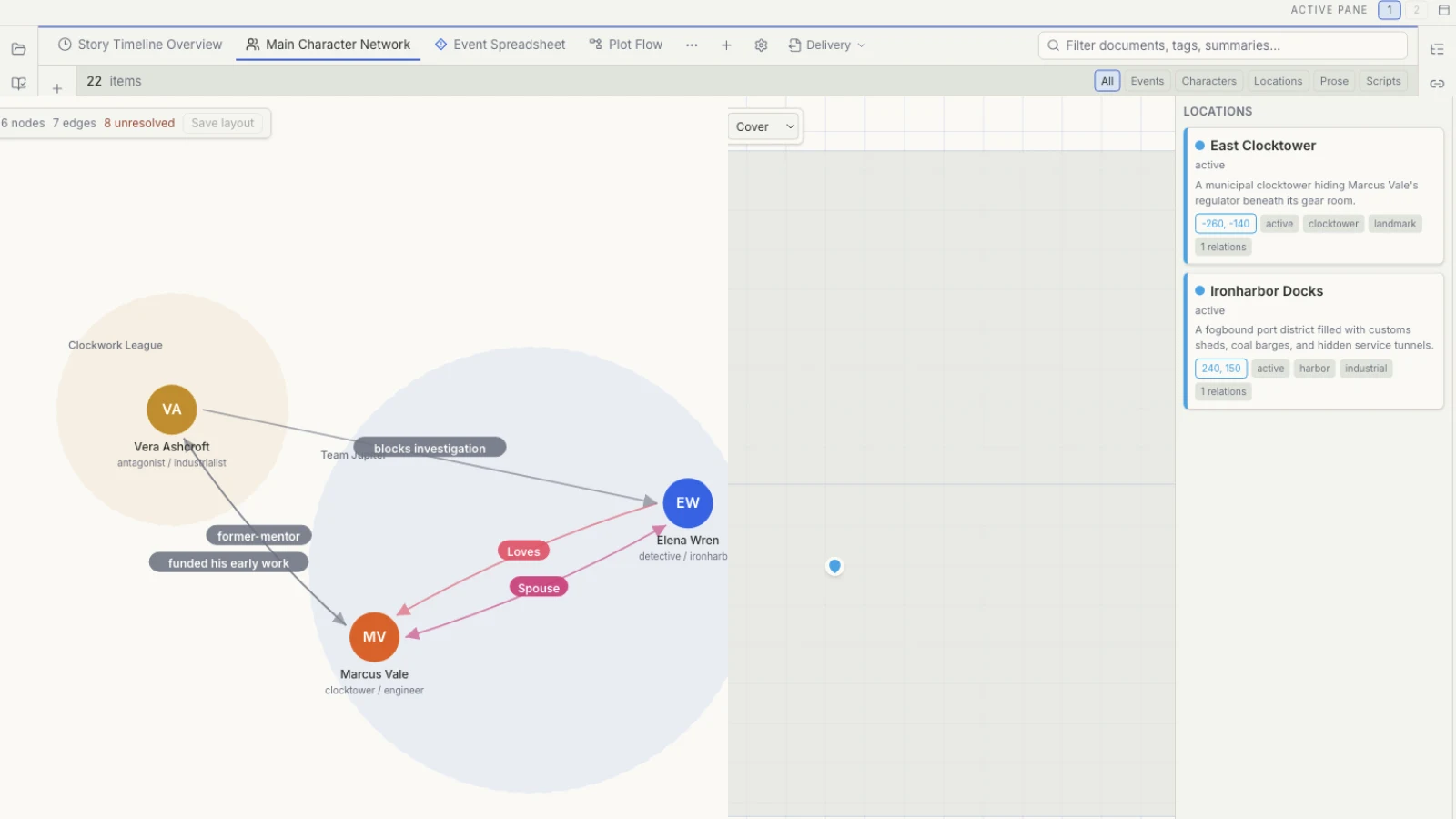
The most compelling quality of Obsidian is the degree to which it gives that growth to the user. Local Markdown keeps text readable. Links and Backlinks return knowledge to context from several directions. Graph and Canvas offer different ways to see connections. Themes, Community plugins, and an open API allow people to shape an environment instead of accepting one fixed theory of how a novel or knowledge base should be organized.
That freedom is especially valuable for worlds that cross series, research-led writing, and personal knowledge management. A botany note may serve real research today and become an ecological rule in a fantasy world years later. One historic city can inform nonfiction and a novel. The writer owns an accumulating knowledge asset, not merely the supporting folder for one Project.
The new pressure often appears with the second or third independent world.
Keeping all worlds in one vault makes cross-project discovery easy. Giving each world its own vault creates clearer work boundaries. Obsidian stores a vault’s configuration in its .obsidian folder. Themes, plugins, hotkeys, and settings can be copied or synchronized across vaults, but that choice becomes part of the writer’s continuing setup and maintenance. As worlds multiply, a natural question emerges: how can independent spaces preserve one familiar novel-writing practice?
For people who enjoy customization, choosing a different structure for every world may be part of the pleasure. Other writers want the content of each world to remain distinct while the basic actions for characters, events, Tasks, long-form editing, and versions stay familiar. Opening a new work should return attention to the story, not begin another round of furnishing.
That is the premise of Scroll. Each novel can be its own local Project, while every Project begins with the same first-party author capabilities: Story data, multiple planning views, long-form writing, Tasks, works and manuscript versions, and preparation for Scribe. The world is new; the author’s working language does not have to be.
Let each world remain separate while the writing practice stays familiar
An oceanic fantasy, a contemporary mystery, and a space opera probably should not share one cast list, one location vocabulary, or one Timeline. Each has its own rules, research, and publication plan. Putting them together can force the current book to carry context it does not need.
Scroll keeps each Project within its own boundary. Manuscript text, characters, locations, organizations, events, research, and author Tasks belong to the current work. Opening another Project does not bring the previous world’s records into view. The basic actions remain recognizable: characters are managed through the character area, events can be viewed on a Timeline, Tasks move through List, Board, Calendar, or Schedule, and the manuscript stays in the same long-form editor.
Consistency does not require every novel to use the same model. A court ensemble can extend characters with factions and titles. A road novel can put locations and routes at the center. A short story may use the smallest structure available. Scroll supplies a stable foundation; the work decides which surfaces deserve attention.
That distinction matters to independent authors managing several series. Entrances, actions, and planning logic can continue across books while the Story records remain isolated. Moving from oceanic fantasy to contemporary mystery or space opera does not require the writer to forget how the workbench operates.
First-party Story tools give Projects a shared author language
A new world begins with uncertainty. Relationships change, borders are sketches, and chronology remains unsettled. Scroll can hold provisional thinking in Mindmap, Whiteboard, and Flowchart before stable information becomes character, location, organization, or event records.
The same Story data can then appear through several views. Relationship graph examines explicitly recorded connections. Map supports spatial questions. Timeline and Calendar inspect event order. Subway shows where narrative lines diverge and meet. Spreadsheet supports field review across many cards. Those lenses carry the same author meanings from one Project to the next.
A common foundation does not erase the individuality of a work. Custom Project modeling can add types and fields that this story genuinely requires. Customization begins from “What is distinctive about this work?” rather than “Which basic novel-writing capabilities do I need to assemble again?”
Tasks have a separate home. A coronation inside the Story is an event. “Check titles before and after the coronation” is author work. Keeping them distinct prevents production reminders from entering the Story Timeline and prevents the task board from becoming the authority for world facts.
A local Project can follow the writer’s own backup rhythm
Local-first does not mean a work must remain on one computer. A complete Project can participate in an external-drive routine, system backup, version-control practice, or suitable cloud-backed folder chosen by the writer. The app provides the writing environment; the writer decides where working files and copies live.
Scroll manuscript files use readable Markdown. Story data, Tasks, saved views, and version records preserve the broader Project context. Working locally and keeping an off-device copy can therefore follow one deliberate backup routine without changing how the Project is organized each day.
Neither a local folder nor a cloud location is automatically a backup. A dependable plan still requires more than one copy, a known destination, and occasional recovery checks. The useful advantage is that the author can see and manage the Project whose safety she is planning.
A novel in progress needs a path to becoming a book
A world can continue to grow. A novel intended for publication eventually needs a stable boundary. The writer must know where the formal manuscript lives, which chapters belong to its current version, what happens to removed material, and when the work is ready to enter book production.
During the final revision, work and manuscript version records let that decision remain inside the Scroll Project. A stable manuscript can then be opened in Scribe, where Appearance, pagination, and publication output belong.
Scroll does not produce a finished PDF, EPUB, or print layout, and preparation does not prove that Scribe has received the manuscript successfully. The author still confirms the intended scope and reviews recognized works, versions, chapters, and pages. The result is a continuous but explicit division: the world may keep expanding, while one book proceeds through a named version and a dedicated production stage.
If your formal Markdown manuscript already comes from a knowledge base, Obsidian and Scribe follows that publication intent. If the question is how several views can read shared Story records, continue with Why One Story May Need Eleven Views.
Give different worlds the same author workbench
A long-lived knowledge network deserves to keep growing. A new fictional world also deserves a clear boundary. When characters, events, relationships, Tasks, and versions already have stable places inside the current work, attention can return to the world sooner.
Scroll makes that consistency available as a first-party Project workflow. Local files remain in the writer’s control and a complete Project can follow the chosen backup plan. The environment is familiar when it is time to write, and versions and the Scribe handoff are clear when it is time to make the book.
The Scroll comparison guide gathers other questions raised by knowledge bases, writing apps, and specialist tools. If you are beginning a second or third independent world, visit the Scroll product page to see how local Projects and Story planning organize manuscript, records, and preparation for publication—without asking every new world to begin with a new tool-building project.