
Project and version tools for book series in 2026
How should a trilogy manage shared facts, separate Works, revision drafts, and publication sources? Explore seven approaches to series planning and version boundaries.
A book series often begins with one outline. By the time volume two enters revision, the author has the published manuscript of book one, changes for a new edition, an editor-reviewed book two, ideas for book three, and a body of names and character information shared across all three. A search for the royal council finds five phrasings. Filenames have grown from final to final-final-really-final.
This is more than untidy naming. Series work contains several different objects: world facts shared across books, the manuscript of each Work, meaningful manuscript stages, the authoritative source intended for the current publication, and a whole-Project backup that can recover work after device or operator failure. Calling all of them “versions” makes it hard for any tool to explain which file has which responsibility.
A series author also works on several timescales. Tonight she edits an argument in book two. This month she incorporates errata into a new edition of book one. Next year she must remember why book three cannot use an earlier assumption. Seeing the whole series matters, but progress depends on knowing which Work and manuscript stage is being edited now—and whether the decision affects other books.
The seven tools below approach the problem through visual series planning, specialist time, mature long-form projects, a continuous writing Library, collaborative databases, modular creation, and local Projects. Begin by asking whether you most often confuse the relation among books or the manuscript being delivered now.
Plottr: see structure across books first
Plottr’s visual timelines, scene cards, narrative strands, and Series View make multi-book structure visible from above. A writer can see a character arc cross several volumes or track where a promise is planted and fulfilled. Story Bible provides planning material for people and places.
It suits visual planners and writers who establish series rhythm before drafting. Once the prose enters several revision rounds, the author still names the authoritative manuscript source and decides when changes in visual planning enter each volume.
Aeon Timeline: keep cross-book chronology calculable
Series that span decades, constrain several character ages, or use a custom calendar turn time into infrastructure. Aeon Timeline models events, people, places, narrative order, ages, durations, and relative dates and can support plans containing several stories or books.
If one chronology error affects the whole series, keeping a specialist model authoritative is sensible. It answers when events happen. Each book’s prose, research, author tasks, and formal publication source still require their own boundaries.
Scrivener: a mature project for each long work
Binder, Corkboard, Outliner, Research, Snapshots, and Compile give Scrivener an established structure for a book-length manuscript and its supporting material. A writer may keep one project per volume or build a master project with layered series information and manuscripts.
As the series grows, define the project boundary early: where shared world information lives, which Compile settings belong to which edition, and how published material remains distinct from a manuscript still changing.
Ulysses: sustain writing momentum in a continuous Library
Ulysses Library, Projects, Groups, Filters, and Sheets keep separate works orderly while preserving a quiet writing rhythm across Apple devices. Sheets can be split, merged, and reordered; Projects and Groups distinguish the current series from other writing.
For prose-centered writers comfortable managing a series through naming and grouping, that continuity has clear value. As cross-book Story data, research, revision tasks, and publication sources expand, the writer can decide whether the Library hierarchy still expresses those responsibilities.
Notion: make a series bible and production status visible
Database views, comments, permissions, and a shared Workspace support series planning, collaborative research, and production tracking. Characters, places, book status, cover tasks, and campaign dates can appear through different views, with discussion beside each page.
Collaborative databases and local prose can have distinct roles during sustained drafting. Offline Mode and export add useful access paths, but a downloaded page, an exported copy, and an ordinary local Markdown Project managed directly by the writer remain different forms. Teams benefit from stating where decisions live and where the formal manuscript lives.
Campfire: combine creative modules to fit the volume
Campfire brings Manuscript, characters, Timeline, and worldbuilding into a modular environment. Series writers can emphasize the material needed by each volume instead of forcing every book into the same heavy table.
That flexibility fits series whose needs change: book one introduces the world, book two emphasizes faction relations, and book three carries the difficult chronology. The writer still defines which facts are shared and which are volume-specific so one change does not leave several explanations behind.
Scroll: make Works, manuscript versions, and publication sources explicit
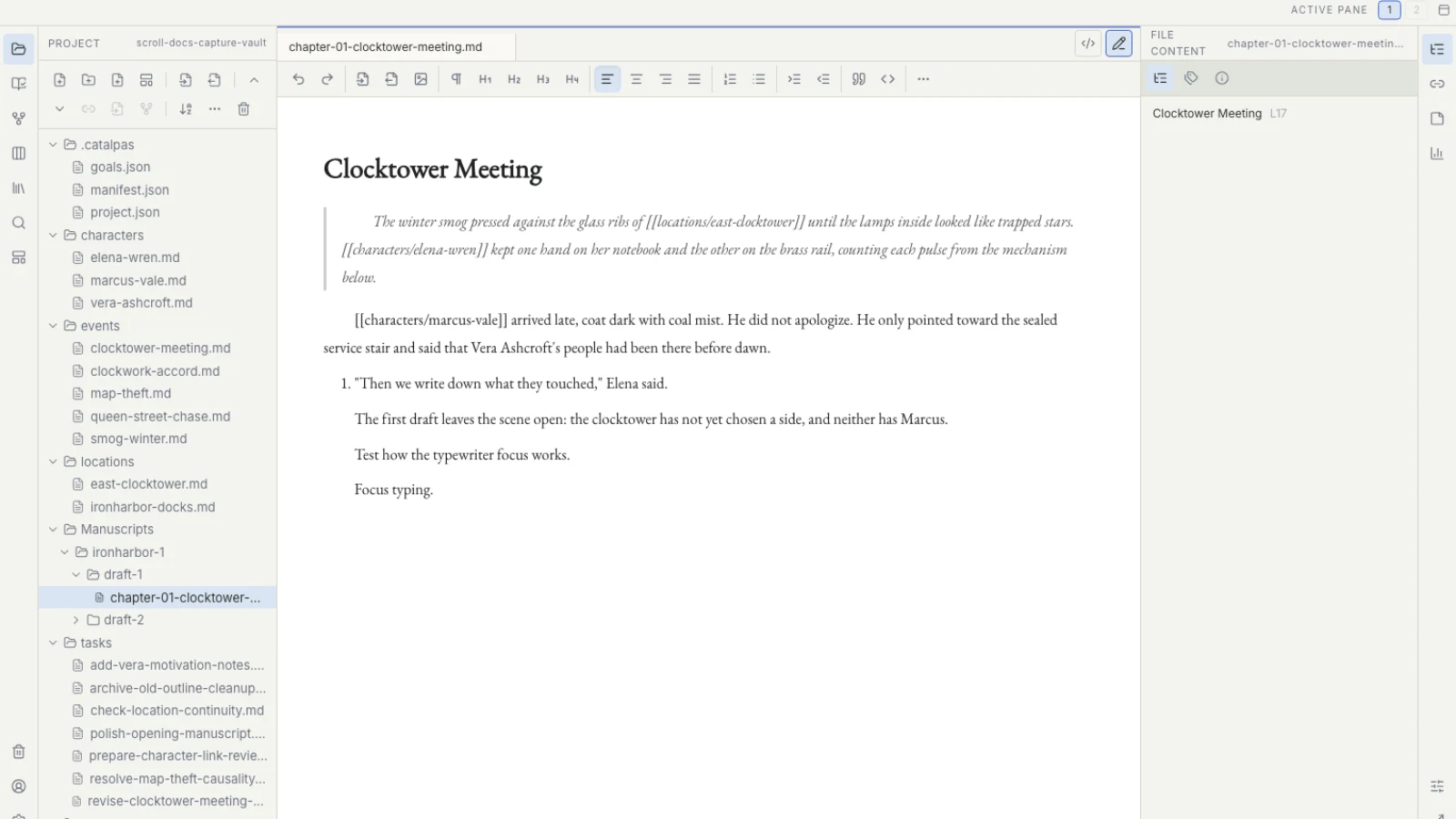
A local Scroll Project can register one or more Works while Story data, prose, References, and tasks remain within a clear Project boundary. Works answer “which book is this?” Manuscript versions describe meaningful stages of the same Work. Publish Version records the authoritative source intended for the current publication. These structures express a decision; they do not copy, freeze, or generate another manuscript.
A writer might maintain agreed series facts in one defined location while the current Project carries the people, places, and events actually used by this book. Separate Projects do not automatically sync shared data. “Editor review” and “new-edition revision” describe different version meanings; before book production, the author selects the source associated with the intended Publish Version. That selection is not publication output and does not mean a downstream application has recognized it.
When book-one errata and book-two editorial notes arrive together, these boundaries reduce a dangerous guess. The writer corrects a place name in the book-one revision source and creates a book-two task to check the same name without declaring every file “the latest series version.” Once the decision stabilizes, she updates the agreed authority for the shared fact. Each Work retains an identifiable manuscript while the series context shows which change may need propagation.
Manuscript versions are not Git snapshots. Overwriting prose cannot be undone from a version name. Meaningful stages still need actual copies and backups. A whole Scroll Project can contain hidden Project data, so backup means preserving the entire Project folder rather than selecting visible Markdown files. Scroll does not currently provide one built-in control that globally exports every Project.
The author chooses where local Project backups live: a full copy made after Scroll is closed may go to another disk, external device, or trusted cloud backup location. That control does not eliminate the risk of loss. Sync conflicts are not automatically reconciled by Scroll; preserve both sides before comparing them manually.
When the manuscript is stable, the author can open the same Project in Scribe, verify the Work, Publish Version, Source folder, and chapter order, then begin Appearance, pagination, and publication output. Scroll supports creative context, prose, revision, version meaning, and source selection. It does not directly output PDF, EPUB, or print layout, and Publish Version does not prove that Scribe has recognized the chapters.
These boundaries are especially useful for new editions and independent publication. The writer need not make page decisions during drafting, but she can answer which Work, version, and chapters are entering production. Use five signs a manuscript is ready for Scribe for the full author-led check.
They also make communication with an editor more precise. “Please review the latest” loses context. “Please review this source for book two’s first edition; the book-one revision is separate” retains it. A tool cannot create a naming policy for the team, but Works, manuscript versions, and actual copies can preserve a decision once that policy is clear.
Plottr offers a direct entry for cross-book visual structure; Aeon adds specialist temporal depth; Scrivener offers mature long-form projects; Ulysses protects continuous drafting; Notion can carry collaborative planning; and Campfire supports modular worldbuilding. Scroll fits writers who need the current Work, revision tasks, manuscript versions, local source, and downstream book production to remain in one explainable chain.
Continue with manuscript versions and whole-Project backups, or return to the 2026 tool guide for another creative pressure. The Scroll product page introduces its Works and version workflow.