
Beyond final-final: manuscript versions, authoritative sources, and Project backups
Separate working files, Works, Manuscript versions, Publish Version, and whole-Project backups so revisions and self-publishing sources remain explainable.
At 11 p.m., a trilogy author receives a message from her book designer: “Why is the approved change missing from chapter twelve of book two?” She is preparing book two for its first layout while incorporating reader errata into a new edition of book one. The folder contains “author final,” “editor review,” and final-final; the sync drive has added a conflict copy. Every name looks plausible. Nothing says which Work, version, and chapters should enter production now.
The designer catches the mistake before the old draft enters the book’s pagination and proofing. The writer realizes that final-final has been asked to do three unrelated jobs: identify the manuscript currently chosen for publication, preserve the actual words from an earlier moment, and recover the whole Project after a device or operator failure. A filename cannot carry all three responsibilities.
Identify this delivery precisely
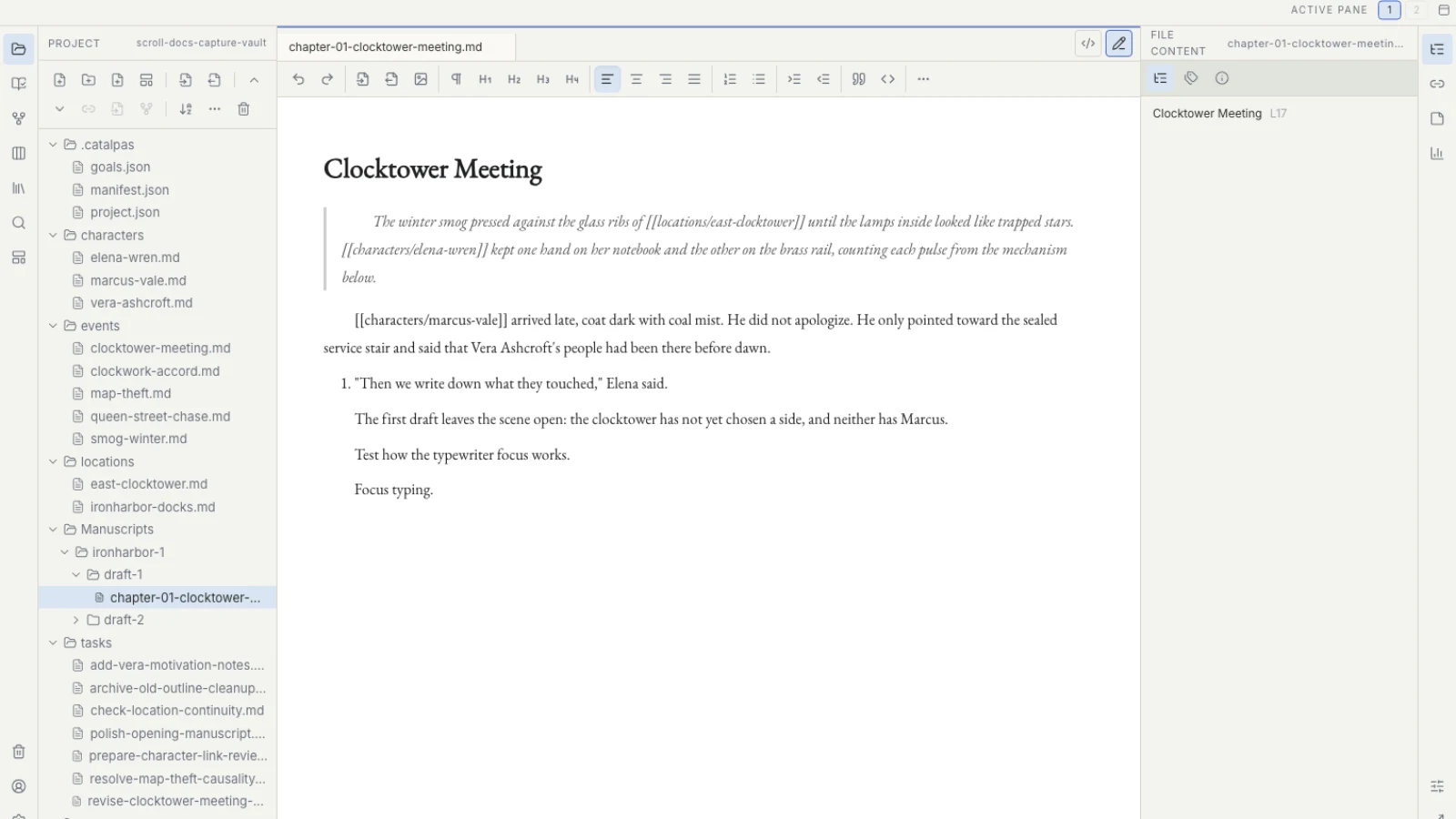
Scroll uses an ordinary local Project folder chosen by the author. One Project can register one or more Works, so a new edition of book one and a first edition of book two retain separate boundaries rather than sharing an ambiguous “current series manuscript.”
A changed series fact does not mean all three manuscripts have been updated. The author first decides whether a change belongs to the series, one Work, or one manuscript stage. Scroll does not propagate Story data automatically across separate Projects or decide that an earlier edition must adopt a later fact.
The writer selects the Work for book two, reviews its Manuscript versions and source, and records the version and source intended for publication as Publish Version. She can now tell the designer, “Use this chapter set for book two’s first edition; the book-one revision is a separate Work in progress.” The conversation becomes verification of an explicit decision rather than a guess from filenames.
This is not administrative overhead for its own sake. It lets book-one errata and book-two editing proceed at the same time without stripping either manuscript of identity. When a cross-book decision stabilizes, the author applies it according to her Project convention.
Version names preserve decisions; actual copies preserve content
The manuscript source remains the Markdown the writer opens, edits, and saves. Registering a Manuscript version does not copy or freeze those files and does not create Git-style history. If the source continues to change, the version label does not become a new snapshot. Before another delivery, inspect chapter scope, order, and unresolved markers again.
Meaningful editorial milestones therefore need actual copies: before editor return, after structural revision, or before proofing. The copy preserves the words. The version record explains the role those words played in the Work.
Keep a short note beside a significant copy: the Work, review stage, factual-review status, and why a later source superseded it. This matters when two files are both valid documents but one represents the current decision. Modification date alone cannot determine authority.
A whole-Project backup protects more than chapters
A copy of the manuscript directory may preserve prose while omitting tasks, saved Story views, canvases, Project settings, and delivery records. A whole-Project backup preserves the entire Project folder after Scroll is closed, including hidden files and folders. Follow the current data safety and recovery documentation for the supported process.
Local-first means the author chooses the backup location and strategy. A full closed-Project copy may live on another disk, external device, or trusted cloud backup location. It does not mean local files cannot be lost, and a successful sync indicator does not prove the service understands the manuscript’s version meaning.
Before structural revision, a device change, or formal delivery, perform a small restore check. Copy the backup to a temporary location, open the Project, and inspect the first and last chapters, author tasks, and Work information. The objective is not merely to recover text but to resume the work with its current context.
For a long-running series, tie a few recovery points to meaningful stages: structural revision closed, delivered to editor, ready to enter Scribe. Risk determines frequency. A small number of explainable, tested recovery points is more useful than many copies whose purpose no one remembers.
External editors and multiple devices can still create conflicts. Preserve both sides before comparing them manually. A conflict copy is an actual file requiring a decision; its newer timestamp does not make it authoritative, and Scroll does not reconcile the creative choices on both sides automatically.
Book production still requires an explicit handoff
When the manuscript stabilizes, Scribe carries Appearance, pagination, PDF, EPUB, and other supported publication output. Scroll records the Work, Manuscript version, and source intended for use. The author opens the same Project in Scribe and verifies the recognized Work, Publish Version, Source folder, chapter count, and chapter order.
This is not an upload and does not turn Scroll into a layout application. Readiness upstream does not prove that Scribe has recognized the intended source or that its pages are correct. After verifying the source folder, chapter count, order, and manuscript version in Scribe, the author can begin page work.
An explicit handoff limits practical damage. An old draft entering production can mean repagination, repeated proofing, discarded proofs, or a delayed release. A clear source cannot remove every error, but it prevents an ambiguous filename from carrying one mistake through the whole production process.
Use five signs a manuscript is ready for Scribe for the full preflight and the Scroll to Scribe workflow for the wider division of work. If structural revision is not yet closed, begin with a structural revision workflow after the first draft. Series writers can compare approaches in Project and version tools for book series.
When the author can answer “what am I changing, which source counts now, and where can I recover the Project?”, final-final returns to being an ordinary filename rather than evidence of authority. Return to the Scroll long-form writing workflow or see how Scroll organizes local Projects, Works, and publication sources on the Scroll product page.