
Affordable InDesign alternative: book interiors on a smaller budget
A decision guide to lower-cost book-interior workflows, comparing InDesign, Affinity, Vellum, Atticus, Pandoc, and Scribe without preserving fixed prices.
How this review was checked
This article uses vendor product pages and official documentation checked on August 22, 2026. It does not report hands-on competitor testing. Prices, plans, availability, and product boundaries can change; verify a purchasing decision through the official sources listed on this page.
Affordable InDesign alternative: book interiors on a smaller budget
Adobe InDesign is a professional page-layout application for books and other publications. Adobe documents reflowable and fixed-layout EPUB export as well as detailed print and CJK composition workflows. Its fit depends on layout complexity, team skills, and the production pipeline.
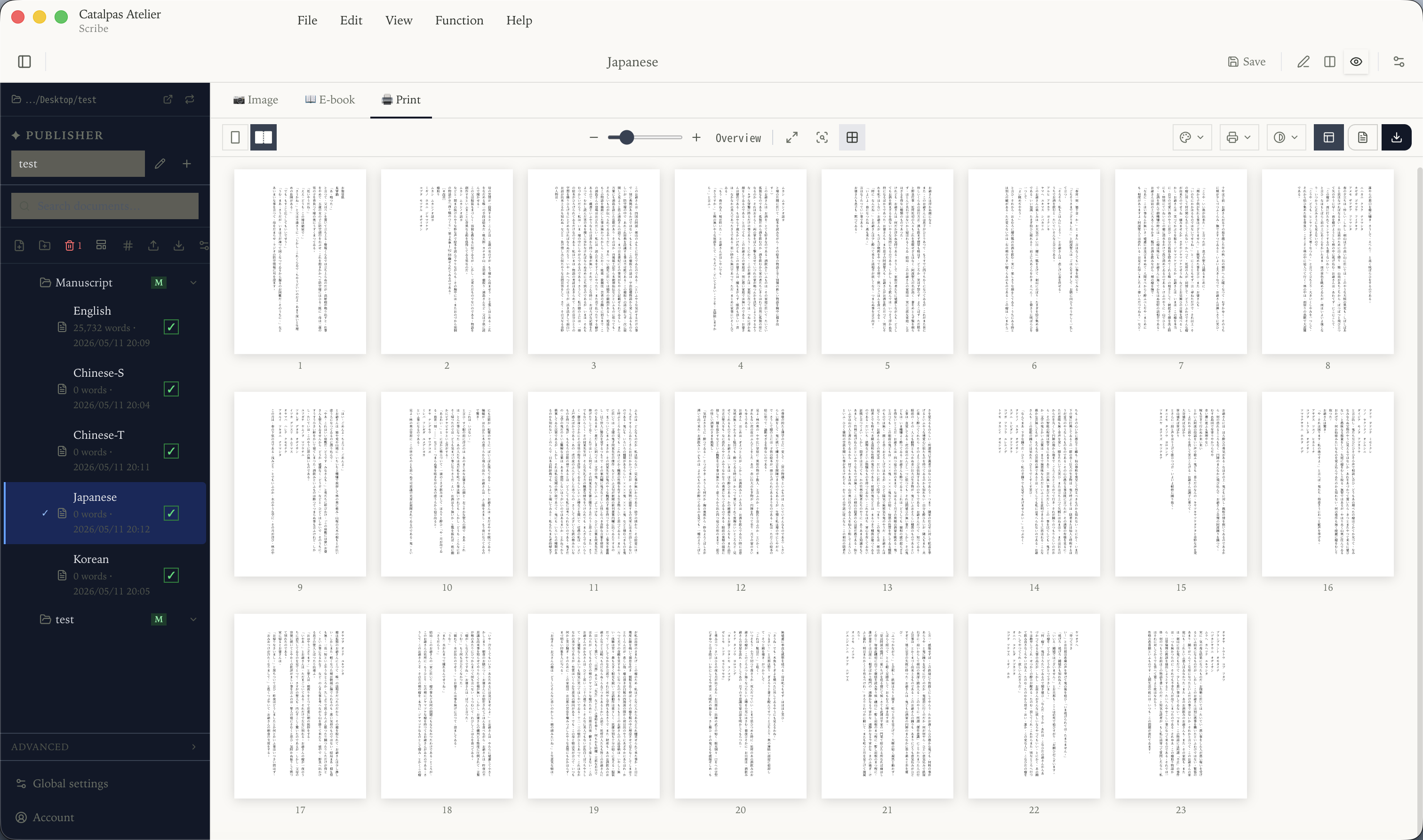
Book-interior requirements depend on the project
Start with requirements that are common to the specific book: trim size and margins, readable paragraph styles, licensed fonts, and a PDF that meets the printer’s specification. Other items are conditional. Facing-page masters, chapter-start rules, tables of contents, headers and footers, image placement, bleed, a particular PDF profile, or CMYK/ICC are needed only when the design, color content, binding, or printer requires them.
Whether subset-level tools cover book interiors
Around “cover only the book-interior subset”, several tools are worth a serious look in 2026:
Affinity provides page-layout and print-PDF tools in its current integrated product. The older Publisher 2 format table is useful only for that generation; do not use it to infer an undocumented boundary for the current product. Verify current format support before adoption.
Vellum runs on macOS and generates EPUB and print PDF. Its purchasing documentation says the app can be downloaded and used to create and preview a book before generation is purchased. Check current purchase terms on Vellum’s official site.
Atticus combines writing and EPUB/PDF formatting with browser and installed-app access, cloud backup, and collaboration. Its documentation describes conditional offline writing, while import and export require internet access. Confirm project-specific typography and prepress needs against the current documentation.
Pandoc is a command-line document converter that supports many text and publishing formats. It can suit reproducible, scriptable workflows, but the team owns template configuration and output validation.
Choose by deliverable and workflow: source ownership, required export formats, layout complexity, collaboration, operating system, CJK typography, and printer requirements. A missing statement in official documentation is a question to verify, not proof that a feature is unsupported.
Catalpas Atelier Scribe Pro: the print-master specifics
Catalpas Atelier Scribe is a Windows, macOS, and Linux desktop application for local Markdown projects, live pagination, and tier-dependent publishing exports. It is aimed at text-led books rather than replacing the full visual-design and prepress scope of InDesign.
Local project boundary. Scribe is an Electron desktop application for Windows, macOS, and Linux, and a Scribe Project remains on the user’s device. The public product materials do not promise built-in cloud synchronization. Test any external storage arrangement with a copy of the project before relying on it.
Publishing output. Scribe’s public documentation describes EPUB and PDF export in eligible tiers, with advanced print controls such as CMYK in Pro. Export each required format, then validate it against EPUBCheck, the target storefront, and the printer’s specification.
CJK and ruby. Scribe documents vertical CJK layout across its plans and ruby as a Pro capability. Confirm the exact output format and plan boundary on the current product documentation before committing a project.
Research and technical writing. Scribe’s public documentation describes references and LaTeX workflows. These features are relevant only when a manuscript needs them; compare the documented workflow with the project’s citation and equation requirements.
Pricing model. Scribe offers Free and paid tiers. This article does not preserve a numeric price or limited promotion; check the official pricing page for the current plan, region, tax, and feature terms.
When InDesign remains in scope
Keep InDesign in scope when a team exchanges InDesign or IDML files, the publication has complex art direction or multi-column layouts, the workflow depends on Adobe assets and prepress, or the printer explicitly requires that source format. Its subscription value depends on the current plan and on how much of that professional workflow the project actually uses.
How to make the call
Choose by workflow, not by a promised price ratio:
- Affinity for hands-on desktop page layout and print PDF; verify the current product’s format support.
- Vellum for a preset-led EPUB and print-PDF workflow on macOS.
- Atticus for cross-device writing, cloud backup, collaboration, and EPUB/PDF output, subject to its documented offline and connectivity conditions.
- Pandoc for a scriptable conversion pipeline maintained by a technically prepared team.
- Scribe for a local Markdown Project, live pagination, and plan-dependent publishing or CJK features on a desktop workflow.
Check current terms and validate a real sample; “lower cost” does not mean that every option covers the same scope.
Further reading:
- Typesetting software worth using for small publishers, 2026
- CJK vertical-layout self-publishing: can the desktop see it through?
- The shortest path from a Markdown book to a print-ready PDF
- Scribe solutions hub: find the entry that matches your workflow
Review Scribe’s current capabilities and test them with your own manuscript →
Sources and verification
- Adobe InDesign Checked
- Adobe: Export to EPUB Checked
- Affinity Checked
- Affinity Publisher 2: Supported file formats Checked
- Vellum technical specifications Checked
- Vellum purchasing FAQ Checked
- Atticus Checked
- Atticus: accessing the application Checked
- Atticus: collaboration Checked
- Pandoc Checked
- Catalpas Atelier Scribe Checked
- Scribe documentation Checked
- Catalpas Atelier pricing Checked
Disclosure: Catalpas Atelier develops Scribe. Competitor information in this article comes from the vendors' official public documentation; we did not perform hands-on competitor testing for this review.